

How to Secure Your Clash of Clans Account in 2026 — Post-Transfer & Ongoing Protocol
|
🔄 Last Updated: April 29, 2026
|
✏️ What changed: Full rewrite — split into purchased-account and organic-account checklists · Added 2026 Supercell ID security detail · Corrected Supercell Support guidance · Added HowTo + FAQPage + BreadcrumbList schemas
- The two most critical steps for a purchased account: link to your own Supercell ID and change the linked email — done within minutes of receiving credentials.
- Never share your Supercell ID login, password, or email with anyone — including support impersonators.
- Remove active sessions on devices you don’t own immediately after any account transfer.
- For purchased accounts specifically: do not contact Supercell Support about account history unless you have a genuine access issue — and even then, only about the email and Supercell ID you now control.
- Play normally from a single device — no simultaneous multi-device logins, no third-party tools.
- Supercell’s 2026 enforcement focuses on bots, third-party software, and CWL manipulation — normal play from a single device is not a documented enforcement target.
How to Secure Your Clash of Clans Account in 2026 — Complete Post-Transfer & Ongoing Checklist
To secure a Clash of Clans account in 2026, complete five steps immediately after transfer: link to your own Supercell ID, change the linked email to one you control, remove active sessions on other devices, enable 2FA on your email, and play normally from a single device. For purchased accounts, these steps close the primary recovery risk in under 10 minutes.
Whether you built your village from scratch or bought a pre-built account, the security fundamentals are the same — but the priority order differs. This guide separates the two scenarios with their own checklists, and covers ongoing best practices for both.
✍️ Clash Markets Editorial Team — updated April 29, 2026
Immediate Security Steps for a Purchased CoC Account (Do These First)
If you’ve just received a purchased account, these steps are time-sensitive. The window between receiving credentials and completing steps 1 and 2 is your highest-risk period. Do not raid, join a clan, or participate in CWL before finishing all five.
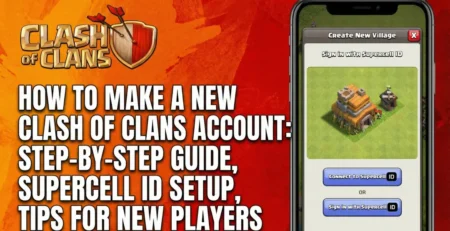
Open CoC → Settings → Supercell ID → Log In with the provided credentials → then switch to your own email address under Supercell ID settings. This registers you as the active account holder in Supercell’s system. Takes under 5 minutes.
Settings → Supercell ID → edit the email → replace it with your own. This is the single most important security action. Any email recovery request filed through Supercell Support requires matching the currently linked email. Replacing the old email makes that path structurally unavailable to any previous owner.
In your Supercell ID account settings (accessible via the Supercell ID website), check all active login sessions. Remove any device that isn’t yours. An active session on another device provides continued account access even after you change the password and email — this step closes that window.
Your linked email is the key to your Supercell ID. Enable 2FA (Google Authenticator, SMS, or backup codes) on that email account. If someone gains access to your email, they can request a new Supercell ID password — 2FA prevents this even if they know your email address.
Use a password manager to generate and store unique passwords for both. A password used anywhere else is vulnerable to credential-stuffing attacks — where a password leaked from another service is tested against your accounts. Unique = safe even if another service is breached.
Ongoing Security Practices — For All CoC Accounts
These practices apply whether you built your account organically or bought it. They reduce the risk of losing access through normal-use vulnerabilities.
Never share your Supercell ID login, password, or the email used to link your account with anyone — including people in your clan, friends, or third-party services offering gems, resources, or account boosting. Legitimate services don’t need your login. Anyone asking for it is attempting unauthorized access.
Logging into the same CoC account on two devices at the same time can trigger Supercell’s automated detection systems, which look for activity patterns consistent with account sharing or third-party tools. Use Supercell ID’s “Remember Me” feature to switch between multiple accounts on one device instead — the correct way to manage multiple villages.
Supercell’s April 2024 Fair Play Policy update explicitly confirmed permanent bans for accounts running bots or third-party software. This is the primary enforcement target in 2026 — not routine transfers. Any tool that automates attacks, resource collection, or war attacks for you puts the account at immediate risk regardless of anything else you do right.
Security vulnerabilities in outdated iOS or Android versions can expose stored credentials. Keeping your device updated patches known exploits. Similarly, downloading apps from unknown sources (unofficial APKs, sideloaded apps) creates malware risk that can intercept your Supercell ID session.
Repeated reports for offensive language, harassment, or hate speech in global or clan chat can result in chat bans or account restrictions. Supercell’s community guidelines prohibit offensive language in any form. This is a lower-priority risk than the others on this list, but avoidable with zero cost.
How to Handle Supercell Support Correctly
This is the most nuanced part of account security — and the most commonly misunderstood. The approach differs depending on whether your account was organically built or purchased.
You have full claim to the account. If you lose access — forgot password, lost email, device change — contact Supercell Support through Settings → Help & Support → Lost Village. Have your player tag, account creation approximate date, and any purchase history ready. Supercell’s support process has improved and can often recover organically-built accounts with sufficient verification data.
Contact Supercell Support only about issues directly related to the email and Supercell ID you now control. Do not contact Supercell about the account’s history before you owned it — questions about previous ownership or purchase history can trigger an account investigation. If you have a genuine access issue (locked out of your own linked email, device loss), contact Support about recovering your email or Supercell ID, not about the account’s pre-ownership details. Your warranty support for access issues should go to Clash Markets first: online chat on the site or clashmarketa@gmail.com.
Avoid contacting Supercell Support repeatedly or excessively — multiple support tickets about the same account can trigger manual review. Don’t claim original ownership if you purchased the account. Don’t ask about account history before your ownership. These actions create more risk than they resolve.
Red Flags — Recognizing CoC Account Security Threats
Most account losses in 2026 come from social engineering — not technical hacks. Here are the patterns to recognize and avoid:
| Threat | What It Looks Like | What to Do |
|---|---|---|
| Phishing emails | Email claiming to be from “Supercell” asking you to verify your account or log in via a link | Never click links in emails. Always go directly to supercell.com — not via email links. |
| Gem generators / “free gems” | Websites or Discord bots offering free gems or resources in exchange for your login | These do not work. They exist only to steal credentials. Ignore and report. |
| Fake “Supercell Staff” in clan chat | Someone in global or clan chat claiming to be Supercell and asking for account info “for a ban appeal” | Supercell staff do not contact players in game chat. Report and block immediately. |
| Account “boosting” services | Services offering to push your trophies or complete CWL attacks for you — requiring your login | Giving your login to another person violates ToS and creates a recovery path for them. Avoid entirely. |
| Suspicious APK / mod files | Modified CoC versions claiming to provide unlimited gems or troops | These contain malware and trigger Supercell’s cheat detection. Only install CoC from App Store or Google Play. |
Security Checklist — Purchased Account vs Organic Account
- ☐ Link to your own Supercell ID
- ☐ Change linked email to yours
- ☐ Remove all other active sessions
- ☐ Enable 2FA on linked email
- ☐ Set strong unique passwords
- ☐ Play from single device only
- ☐ Contact Clash Markets for access issues (not Supercell)
- ☐ Never share credentials with anyone
- ☐ Link to Supercell ID (if not done)
- ☐ Use a secure dedicated email
- ☐ Enable 2FA on linked email
- ☐ Strong unique password on both
- ☐ Play from single device only
- ☐ No third-party tools or bots
- ☐ Record player tag + account details
- ☐ Never share credentials
Every Clash Markets account is directly owned by us — no unknown third-party ownership history. Delivered with a clear Supercell ID transfer process and a lifetime warranty. Follow the 5 steps above and you’re fully secured in under 15 minutes.






Leave a Reply