

How to use 2 clash of clans accounts on 1 device
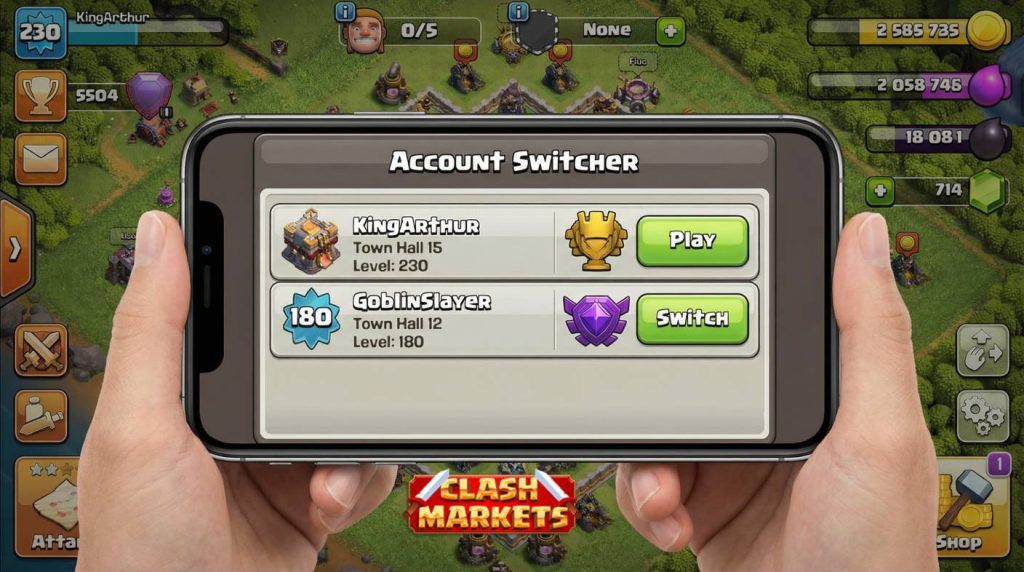
- In 2026, Supercell ID is the only supported method to manage multiple CoC accounts — Google Play Games integration was retired
- You can run unlimited accounts on one device with zero extra apps or emulators
- Switching between accounts takes under 10 seconds with the “Remember Me” option enabled
- Works identically on iOS and Android — same steps, same result
- Want to skip the grind on your second account? Browse our maxed CoC accounts →
Running two Clash of Clans accounts is one of the smartest moves a serious player can make in 2026. Your main account handles Clan War Leagues and Legend League pushes. Your second account? That’s your farm base — quietly stockpiling resources, running Capital Raids, and keeping your Builders busy 24/7 without touching your war base at all. We run this setup ourselves across our entire team, and after thousands of hours with dual-account play, this guide covers everything that actually works.
One critical update for 2026: Supercell fully retired the Google Play Games and Game Center login system for Clash of Clans. If you’re reading older guides that tell you to “connect via Google account,” that method no longer exists in the game. Supercell ID is the only path forward — and honestly, it’s faster and more reliable anyway.
How to Use 2 Clash of Clans Accounts — The Complete 2026 Method
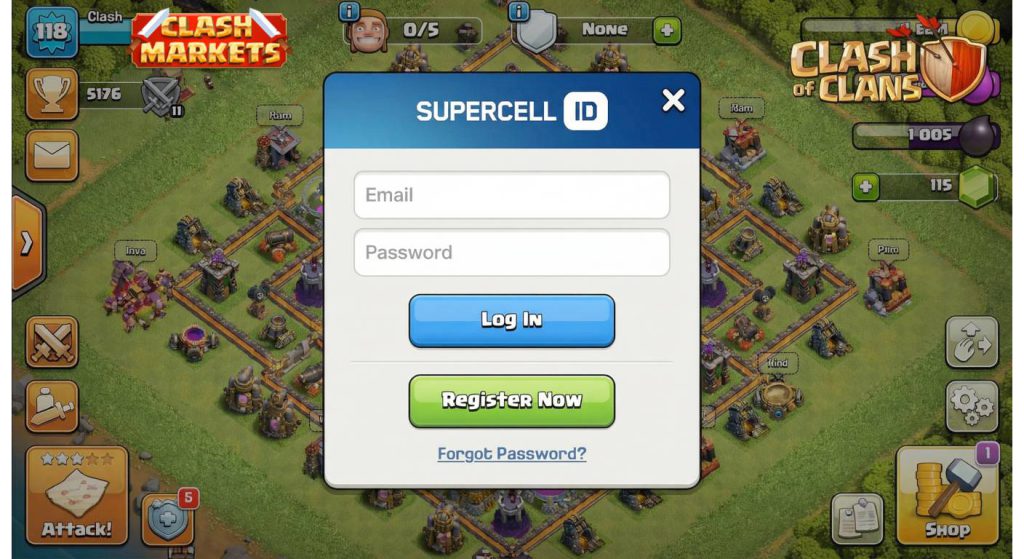
The entire system runs through Supercell ID. Think of it as a passport that holds your CoC village — independent of your device, independent of your phone’s OS account. Once your accounts are each linked to their own Supercell ID, switching between them is instant. Here’s the full process from scratch.
- One device (iOS or Android — one device is enough)
- Two email addresses (Gmail, Hotmail, or any email — one per account)
- Both Clash of Clans accounts already created (even at TH1)
- The latest version of CoC installed (Feb 2026 update or later)
Step 1: Link Your First Account to Supercell ID
- Open Clash of Clans — your first account should already be loaded
- Tap the gear icon (Settings) in the top-right corner of the home screen
- Tap “Supercell ID” near the top of the settings menu
- Select “Register” if this is your first time, or “Log In” if you already have one
- Enter your email address — Supercell will send a 6-digit verification code
- Enter the code (only the latest code works if you requested multiple)
- Critical: Enable “Remember me on this device” — this is what allows instant switching later
- Tap Confirm — Account 1 is now saved to Supercell ID
Step 2: Add Your Second Account to the Same Device
With your first account linked, here’s how to bring your second account onto the same device:
- Go to Settings → Supercell ID inside the game
- Tap “Log Out” — don’t worry, your village is safe, it’s stored on Supercell’s servers
- The game will restart and show the Supercell ID login screen
- Tap “Log In with Another ID”
- Enter the email address for your second account’s Supercell ID
- Enter the verification code sent to that email
- Enable “Remember Me” for this account as well
- Your second village loads — Account 2 is now saved on this device
How to Switch Between 2 Clash of Clans Accounts (Under 10 Seconds)
Once both accounts have “Remember Me” enabled, switching is genuinely fast. This is the daily routine:
- From any screen in CoC: Settings → Supercell ID
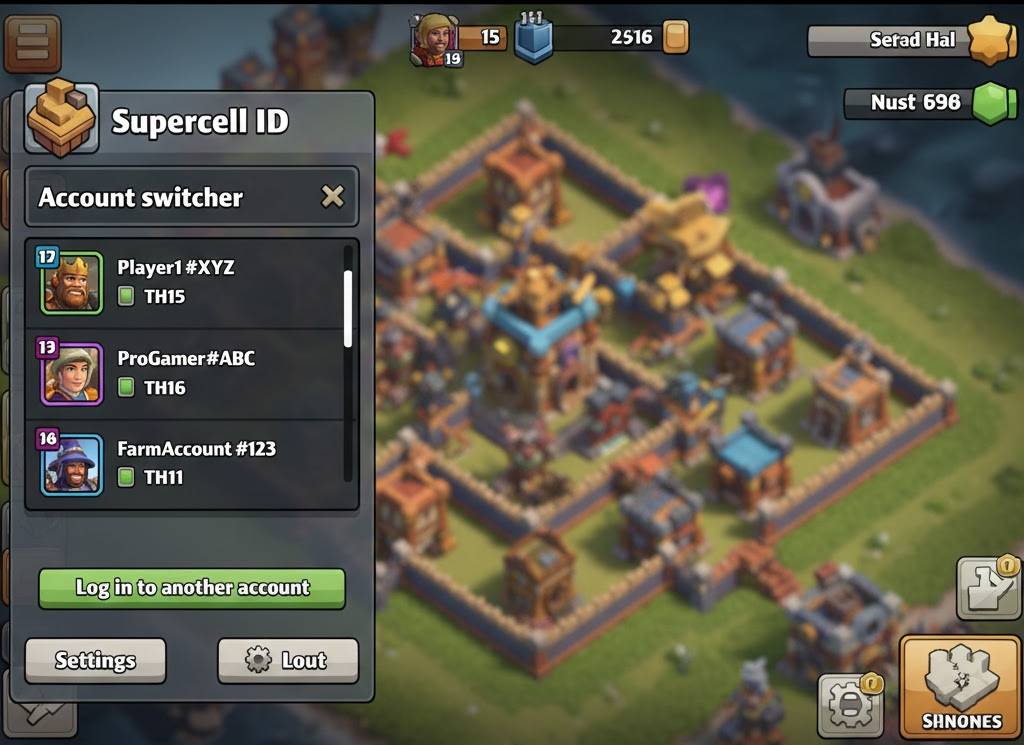
- Tap your current account name at the top
- A dropdown shows all accounts saved on this device
- Tap the account you want to switch to
- Game restarts — your second village loads in seconds
iOS vs Android — What’s Different in 2026
| feature | Android 📱 | iOS 🍎 |
|---|---|---|
| Login Method | Supercell ID only | Supercell ID only |
| After Uninstall App | ✅ Saved IDs stay intact | ✅ Saved IDs stay intact |
| After Factory Reset | ❌ IDs cleared — need to re-login | ❌ IDs cleared — need to re-login |
| Re-login Process | Email + verification code | Email + verification code |
| Account Limit per Device | Unlimited | Unlimited |
ℹ️ As of February 2026 — both platforms behave identically through Supercell ID. The older behavior where iOS-only reset deleted IDs has been resolved in recent CoC updates.
Real Reasons Players Use 2 Clash of Clans Accounts in 2026
After running this site and playing competitively since TH13, we’ve seen why every serious CoC player eventually moves to dual accounts. Here’s what actually drives the decision:
✅ War Base + Farm Base Separation
Your war base stays defensive-optimized. Your farm base stays in a dead-end trophy range, collecting loot non-stop. No compromise between the two goals.
✅ Ore Farming Efficiency
A second account doubles your daily Ore generation from Capital Raids and Clan Games. With the Feb 2026 Prospector update, a second account at TH10+ generates an extra 2,000 Shiny / 120 Glowy Ore per day.
✅ Testing Army Compositions
Don’t risk your war account’s CWL stars testing a new Dragon Duke army. Practice on Account 2 first, then bring the polished strategy to Account 1.
⚡ The Alternative: Buy a Ready-Made Second Account
Starting a second account from TH1 takes months before it generates meaningful value. Many of our customers simply buy a TH13 or TH14 account to use as their farm base — it’s already mid-game ready, already connected to Supercell ID, and ready to generate Ore and Capital Gold from day one.
Should You Build a Second Account or Buy One?
Building from scratch is free. But the math in 2026 is brutal: getting a second account to TH13 — the minimum level where it becomes genuinely useful as a farm base — takes roughly 8-12 months of consistent play. That’s building time, lab time, and Hero upgrade time, all running in parallel with your main account.
| – | Build from scratch | Buy Ready Account |
|---|---|---|
| Time to Become Useful | 8–12 months | Immediate |
| Ore Generation (Daily) | Minimal at low TH | Full output from day 1 |
| Clan Capital Contribution | Low at low TH | Full raids from day 1 |
| CWL Participation | Not competitive for months | Ready for CWL immediately |
| Cost | Free (time cost) | One-time purchase |
Browse our CoC accounts — all linked to Supercell ID, fully upgraded, and ready to use as your second account the same day you buy.
Common Problems When Using 2 Clash of Clans Accounts (Fixed)
❓ “I see only one account when I tap Supercell ID”
“Remember Me” was not enabled on your second account. Log in to Account 2 again, and this time make sure to toggle “Remember Me” before confirming. The account switcher only shows saved accounts.
❓ “The verification code isn’t working”
Supercell sends a fresh 6-digit code every time you request one — only the most recent code is valid. If you requested 3 codes, only the third one works. Also check your spam folder.
❓ “My village data disappeared after I logged out”
Your village is never stored on your device — it’s on Supercell’s servers. Logging out simply disconnects the session. Log back in with your Supercell ID and email code, and your village will be exactly as you left it.
❓ “Can I use the same email for two accounts?”
No — each Supercell ID is tied to one email address. Account 1 and Account 2 need separate email addresses. If your second account doesn’t have a Supercell ID yet, create one with any email (Google, Outlook, etc.).
“We ran four accounts simultaneously through the Feb 2026 Dragon Duke event — all on one Android device, all via Supercell ID. The ‘Remember Me’ feature made the entire thing seamless. TH18 for CWL, TH15 for farm, TH13 for Capital Raids, and a fresh TH11 for testing Dragon Duke army compositions before the war season.”
— Clash Markets Team, February 2026
- CoC Progression Guide 2026 — Optimal upgrade order for TH8 through TH18
- Ore Farming Guide — How to maximize Shiny, Glowy, and Starry Ore daily
- Best CoC Attack Strategies 2026 — Full meta breakdown including Dragon Duke
- How to Buy a CoC Account — Complete guide to safe account purchases
- How to Secure Your CoC Account — Protecting both accounts from hacking
Frequently Asked Questions
Every account on Clash Markets is already linked to Supercell ID, fully upgraded, and ready to use as your second account today. No wait. No grind. Just log in and start raiding.




Leave a Reply